Thursday, October 20, 2016

Week 7- MKTG 349- Campaign Strategies

An wonderful feature that Google AdWords provides is their Help tab. This tab is located in your settings icon on the top right-hand side of your screen. The bell icon, located directly to the right of the settings icon, suggests helpful tips when preparing and examining your campaigns.


AdWords offers multiple convenient ways for users to contact support with any questions. If you'd like to talk with someone over the phone, an 800 number is provided along with the times to call for help. If not, you can click on the Help tab to bring you to a different menu. This menu is shown below.
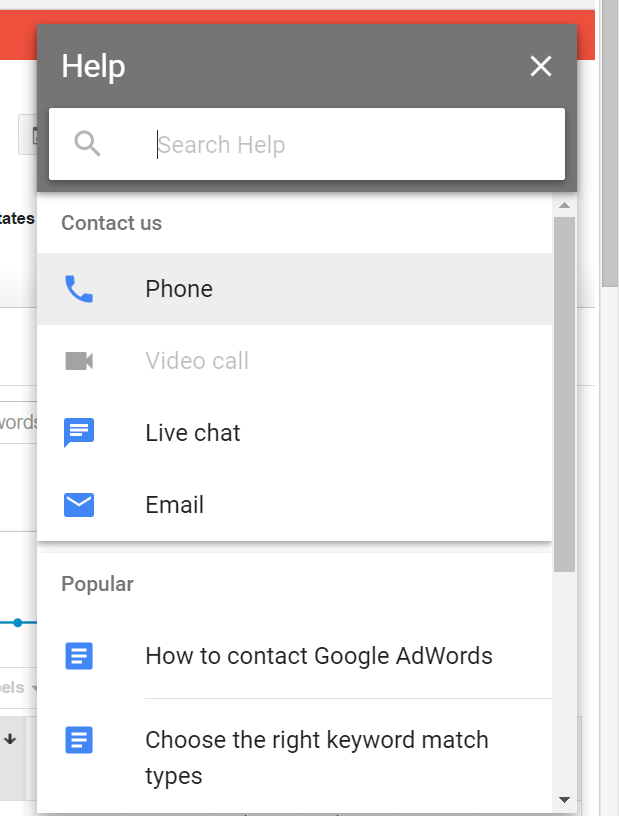

You can contact support by Email, Phone, or chatting through online messaging. Searching subjects in the search bar above is another alternative to finding answers to any questions. Video calls were not available at the time I was looking for help, so I decided to set up a live chat. Once clicking on the option, I was brought to a message box asking me to select a category I needed help with. I selected Ad Performance in the category box and was able to type out a question. Within seconds, Catherine from Google Support messaged me and I was able to quickly resolve my issue.


Google AdWords Help features are a great perk to the website and are available 24/7!

Monday, October 10, 2016

Week 6- MKTG 349- Callout Extensions

Call Extensions are another useful tool provided by Google AdWords to encourage consumers to click on your ad. It's purpose is to display benefits or services unique to your business. The key to successful call extensions is to keep them "short and sweet." This way, businesses boost their quality scores while lowering costs at the same time!

Here is an example of a shoe company ad including callout extensions.


Inside the blue outline are the call extensions. It is best to provide at least two and no more than six. You can find out how to create callout extensions on your Google AdWords Campaign by clicking on this link

Week 5- MKTG 349- Keywords Planner

To efficiently manage your keywords and negative keywords, click on the Tools tab when logged into your Google Adwords account.


This menu can help you determine keyword trends, CPC prices, and create your own keyword combinations. It even gives the opportunity to target consumers based on location and language.

This keyword tool helped me forecast which keywords I should keep or delete. Since my campaign is to advertise my dog Bailey to shiba lovers, I decided to type in "shiba inu dog" to see how much CPC that would reel in over the next week.


As shown in the screenshot above, we see the amount of clicks, impressions made, and the anticipated cost for the keyword during a seven day run time. This information is useful because I am able to determine how much the keyword might be worth to my Campaign and daily budget.

Tuesday, October 4, 2016

Week 4- MKTG 349- AdWords Campaign: Keywords

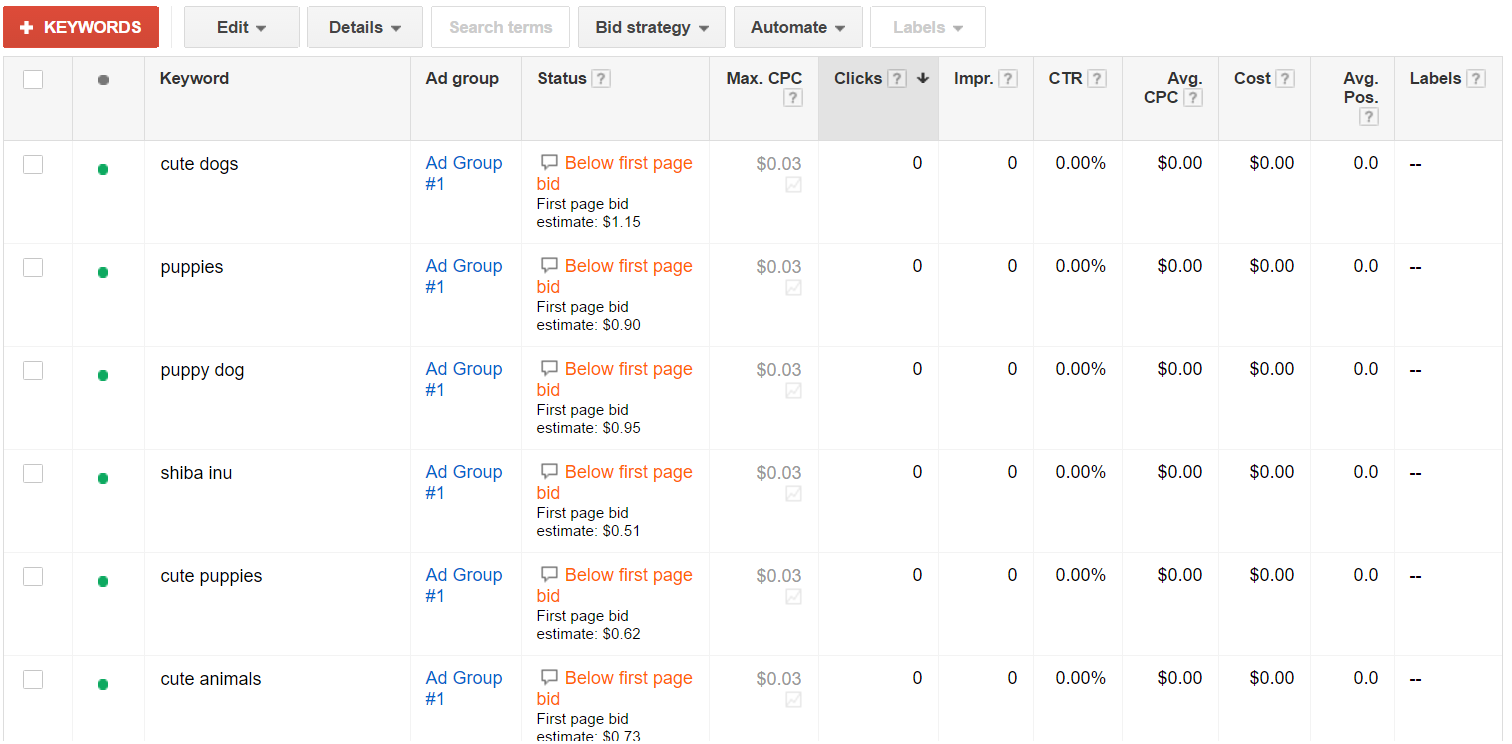
I decided to create an AdWords Campaign for a Facebook page I made last year. The Facebook page is dedicated to my pet dog, Bailey. In order to correctly run the campaign, I created multiple keywords to link my ad to.


I have chosen about 15 broad keywords. The campaign is currently paused, but once I provide my billing information and resume it, the CPC and amount of clicks will turn into numbers. This data will provide us with how well my chosen keywords are doing. By analyzing the data, I can determine if I need to delete or even create negative keywords in order to increase the amount of clicks during the campaign. This will improve my ads relevance to my specific keywords. Overall, monitoring the performance of the keywords will determine how my budget is being utilized to get the most "bang for my buck."

Tuesday, September 27, 2016

Week 3- MKTG 349- AdWords Fundamentals Exam: Attempt #1

After studying the content needed to pass the Google AdWords exam, I got a 67% out of a possible 100%. An 80% is needed to pass for the AdWords certification. 

I wish I could go back and review the questions that I missed because it seemed some of the questions had more than one right answer. I plan on going back to review the materials provided through the Google Partners website. Hopefully next time I take the exam I will get a passing grade. We'll just have to wait another week to find out!


Tuesday, September 13, 2016

Week 2- MKTG 349- AdWords Campaign


In order to create an AdWords Campaign, you first must go to the AdWords website and sign in under your Google gmail account. Once logged in, you are able to view all information under any past Campaigns created. At this time, we don't have any. So lets make one! By clicking on the Campaigns tab towards the top of your screen, you have a variety of Campaign types to select from. Since we are beginners here, we'll keep it easy and choose the "Search Network Only" option including all features.

Considering how to utilize your budget and timeline are the most important parts of your campaign. In our case, it's a good idea to set up a small budget with a low amount paid per day (lets stick with $5). Also, setting up a one or two day timeline would keep you from forgetting to turn the campaign off so you don't end up spending a fortune!

Next, you are able to create your URL, headlines, and description. AdWords even lets you preview how the ad will look on a consumers desktop and mobile device. Creating certain keywords related to your ad will improve your chances of consumers clicking on it. In addition, AdWords provides an "Estimate search traffic" button for every keyword you try. So go ahead. Take a chance and try out how successful your first AdWords Campaign could be! 

Tuesday, September 6, 2016

Week 1- MKTG 349- Google AdWords Introduction

AdWords is a key tool used to create ads. It's effective because it keeps track of your return on investment, or also known as ROI. Google keeps track of the key words used in the search bar of their search engine so the most relevant ads will display on your screen.

You can become AdWords certified by creating a Google Partners account. The wonderful perk about it is that it's completely free too! I was able to quickly create an account hooked up through my Gmail. Once logged in, you can navigate by using the menu bar on the left-hand side on your screen. By clicking on the AdWords tab under Certifications, you can see what the exam entails.


In order to get the AdWords Certification, you only need to take the core AdWords Fundamentals exam and the Search Advertising exam (despite the four other options listed with Search Advertising).


Both exams take roughly two hours each to answer 100 questions. An 80% is needed for a passing score, and you can take it as many times as you need. If you hover your mouse over the exams, details about them appear and you are able to click on a link that is labeled "Exam Details." Once there, you are able to either take the exam or study the core materials.


I never knew Google Partners ever existed or that they offered this type of accreditation's for free before. AdWords is said to be well known and a great certification to add to any resume. It also has the ability to impress employers when you're on the job hunt. I haven't studied the material or have taken the AdWords test just yet, but I plan on trying it out very soon. Who knows, maybe I can get a perfect score after a few tries!